APRS on the ICOM IC-705
Source: UT3USW's personal blog
Introduction
APRS (Automatic Packet Reporting System) is a data transmission system used in radio to track and exchange information with mobile, fixed and portable stations. APRS was developed by Bob Bruninga, WB4APR, and became popular among radio amateurs.

APRS uses packet data switching, where short packets of information are sent over the air to specified stations in real time. These packets can carry all sorts of information — location coordinates, speed, direction of travel, weather conditions, messages and so on.
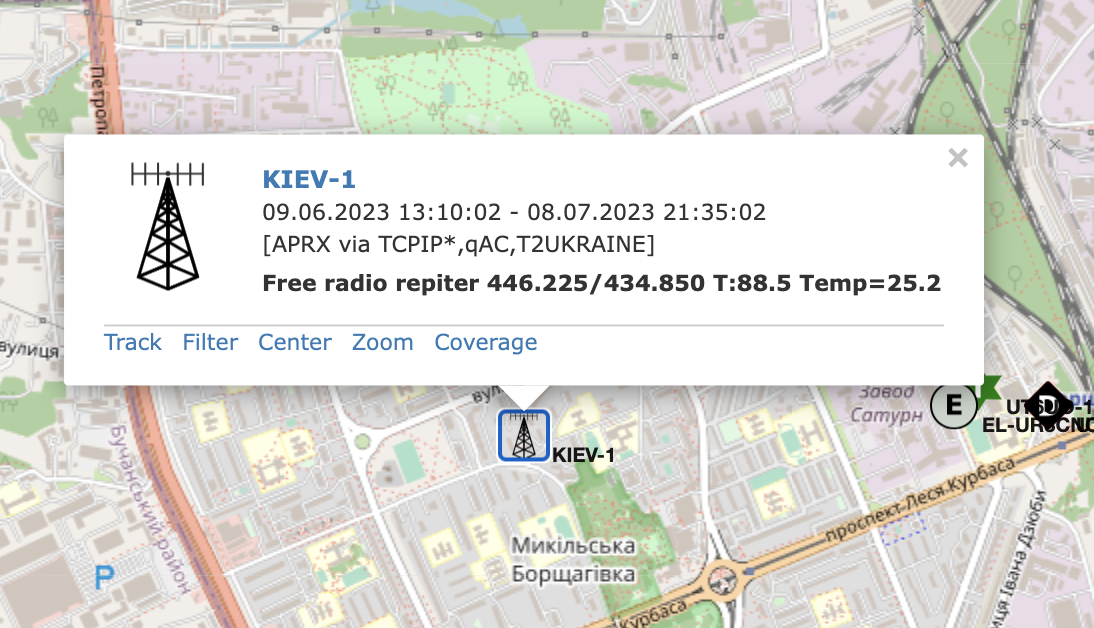
Icom IC-705
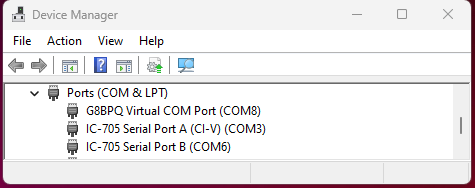
The transceiver does not support APRS directly. To work with APRS, therefore, you need additional software to generate and decode the APRS signals. The IC-705 has to be connected to a Windows computer over USB. Do not forget to install the USB drivers; you can download them from the official Icom site. Install the drivers and restart the computer. After the restart you will see two new COM ports in Device Manager.
Along with the new COM ports you will also see a new sound device for passing audio between the PC and the transceiver. It is important to set up your Icom correctly so the audio works properly.
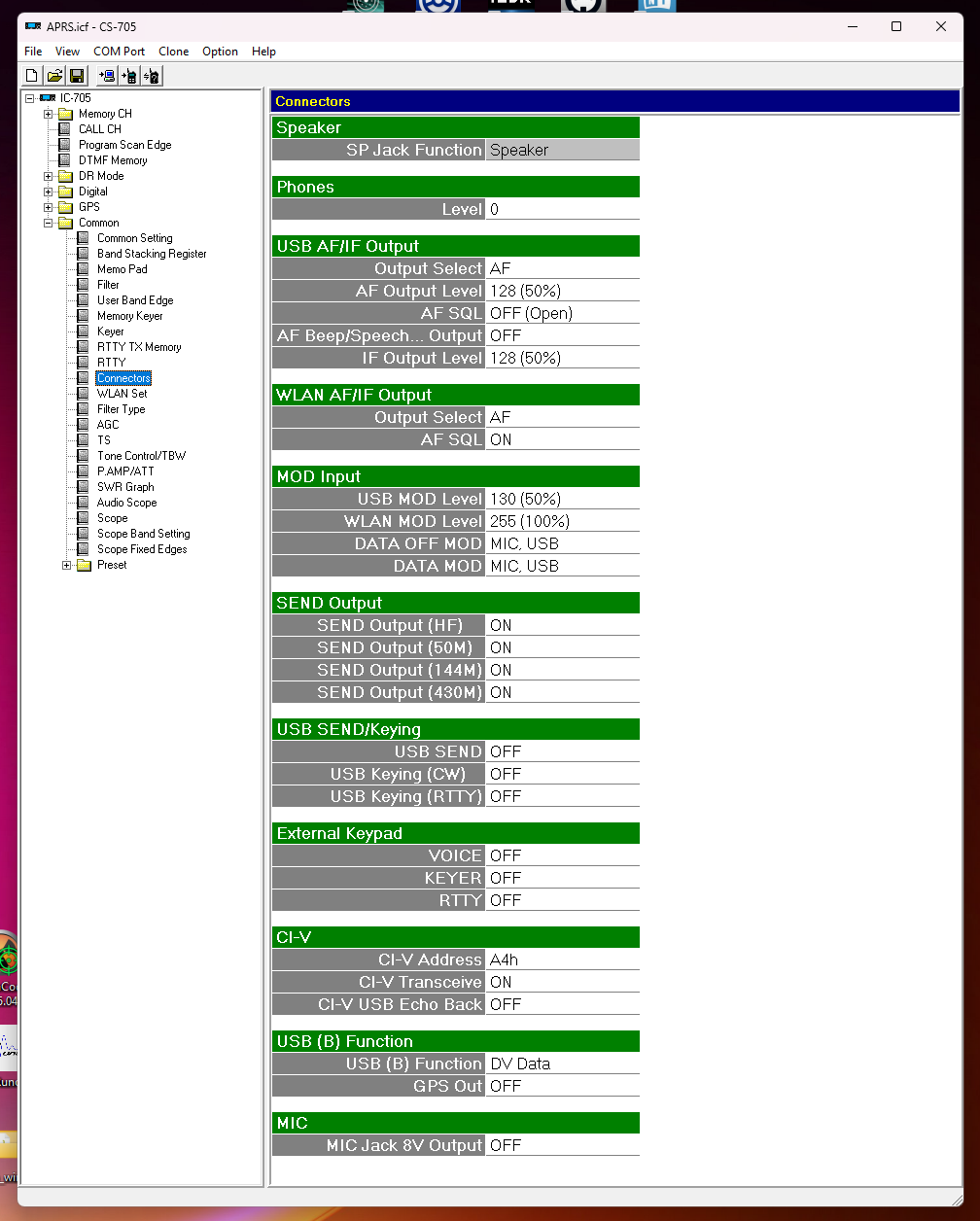
Additional information and troubleshooting is described here: h_r_d_trouble.pdf
In theory, at this point your transceiver can transmit and receive audio straight from the PC. That is, after "pressing" the PTT you could put YouTube on the air. But what do we need that for? Let us set up APRS.
Setting up APRS
The catch is that there is no APRS software (for Icom) that can send and receive APRS packets over a COM port. That is why above we set up a sort of "USB COM VOX" mode. The APRS client PinPoint can work over the KISS TNC protocol across the network. In general, a KISS TNC provides a simple way to move data between a computer and a radio within packet radio, keeping complexity low and use simple.
The scheme we are going to set up looks like this:

- Download and install PinPoint APRS. Download
- Download and install SoundModem. Download (This will be our KISS TNC server between the radio and PinPoint.)
- Download the PTT library for SoundModem. Download and unpack this archive into the SoundModem folder.
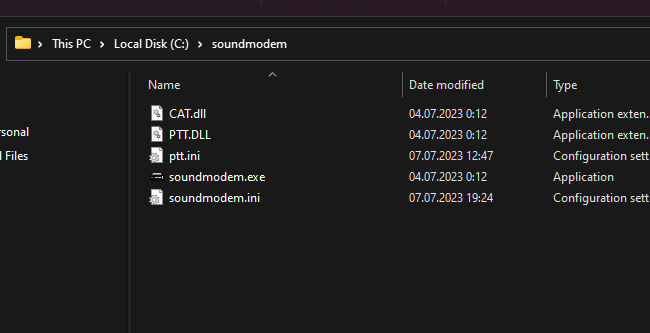
The CAT PTT library lets you set up the PTT (Push To Talk) function of SoundModem for the Icom.
Setting up SoundModem
Start SoundModem and open Settings > Devices. Here you must select the Icom input and output devices! Tick the box next to KISS Server Port. In the Select PTT port field choose CAT.
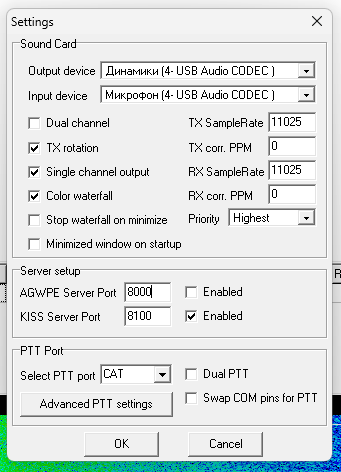
Click Advanced PTT settings.
Here we set up a "virtual PTT" for our transceiver. From the screenshot, I think it is all clear.
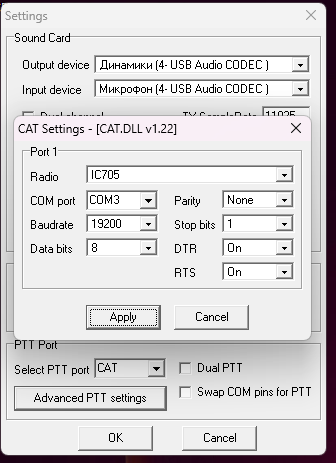
Important! In the Advanced PTT settings window, choose the COM port that Device Manager shows as "CI-V"!
That is basically it for SoundModem. You should see the waterfall and may already be able to receive APRS packets right there in the SoundModem window.
Setting up PinPoint APRS
Start PinPoint APRS and press F2 to open the settings window. Fill in your callsign and the other APRS details.
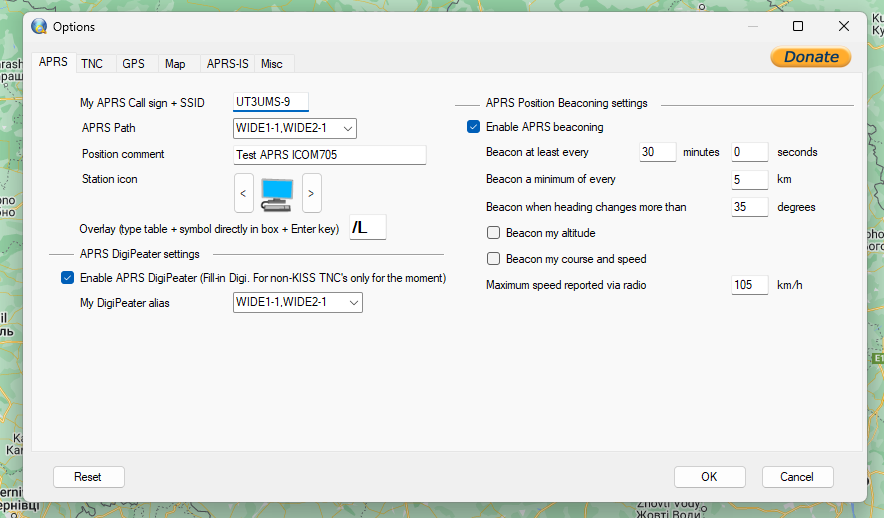
Next we are interested in the TNC tab. Here we set up the connection to SoundModem. Choose the TNC Type as network KISS mode and change the port to 8100 (or whatever you set in SoundModem). You can ignore Serial TNC.
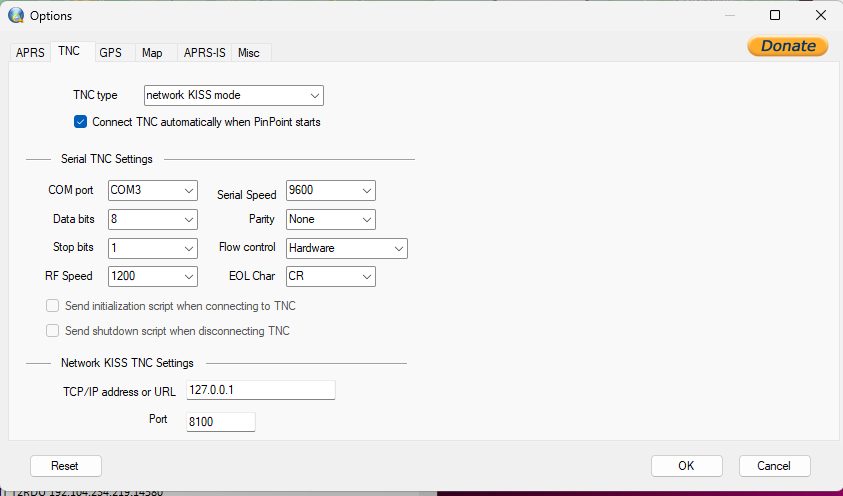
Close the settings and click Options -> Connect TNC; in the status bar you should see Connected to TNC or something similar.
That is all! Now you can send and receive APRS packets over the radio.
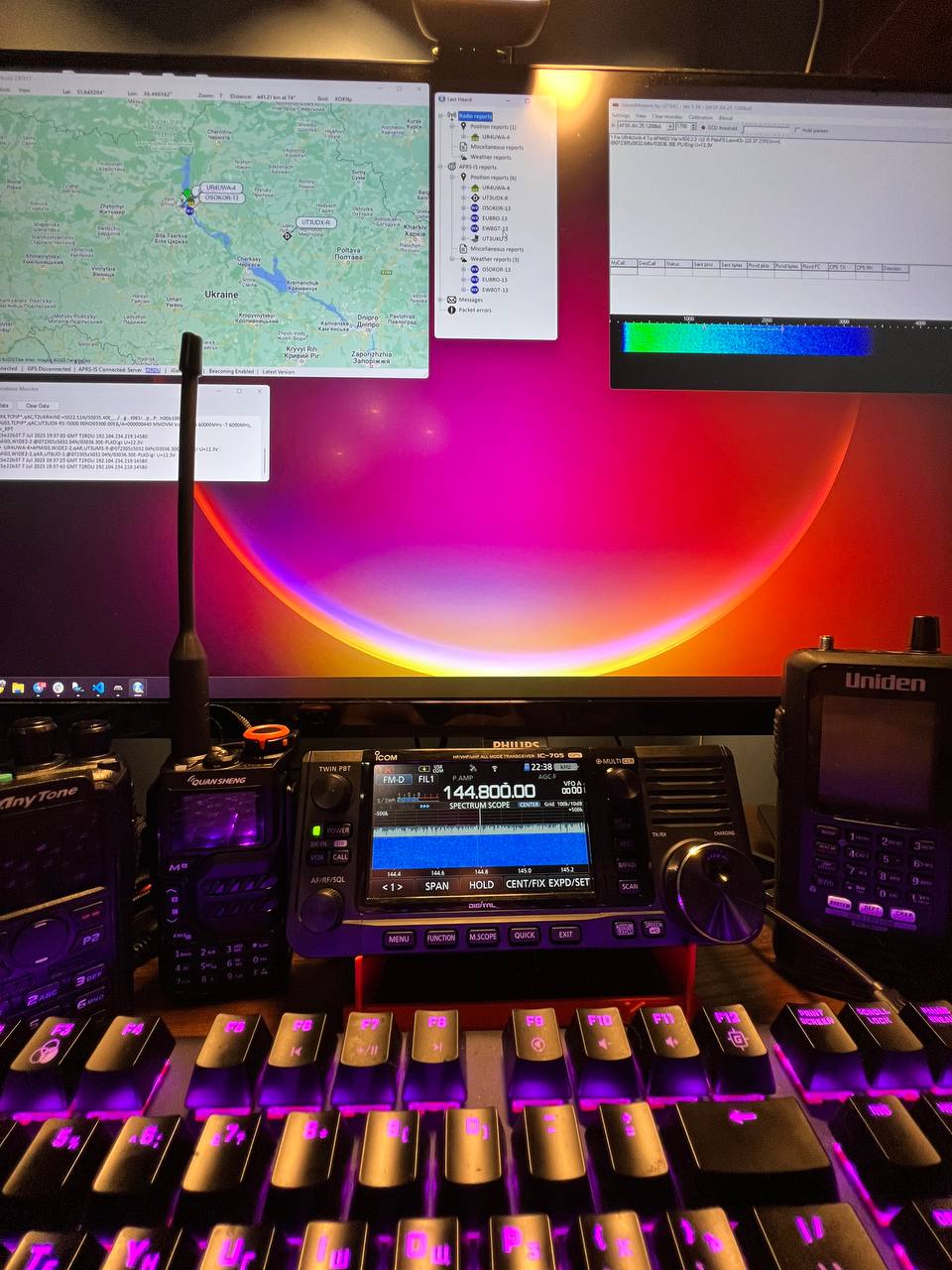
P.S.
I had a certain problem where PinPoint connected to SoundModem successfully and received packets over the radio, but for some reason could not transmit them. It sorted itself out =) WireShark showed no network problems between PinPoint and SoundModem. If you have the same problem, try restarting the computer.
It is also useful, for diagnosing TRANSMIT problems, to listen by ear to what the transceiver is actually putting on the air. Because of a wrong audio-card configuration in SoundModem, silence was being transmitted. Silence was also transmitted when the Icom settings were wrong.
Source: UT3USW's personal blog