What are MMDVM and Pi-Star?
Source: UT3USW's personal blog
Everything below assumes familiarity with amateur radio terms and with the terms associated with digital radio systems. A basic understanding of DMR is enough.
DMR, D-STAR, YSF, P25 — radio amateurs are very fond of odd abbreviations. MMDVM is one of them. It is the thing that helps you combine all these different digital radio systems into one. Another abbreviation — Pi-Star — is software for the Raspberry Pi that lets you use MMDVM.
You can do without an amateur licence, but it is difficult and you should not; and be careful — use only private master servers. If you are a licensed HAM, you know what to do.
What is MMDVM?
MMDVM (Multi-Mode Digital Voice Modem) is a hardware module that lets you use a single antenna for all the digital modes. It takes the digital signal from the radio, converts it into a digital signal that can be sent over the Internet, and then converts it back into a digital signal that can be sent over the air.
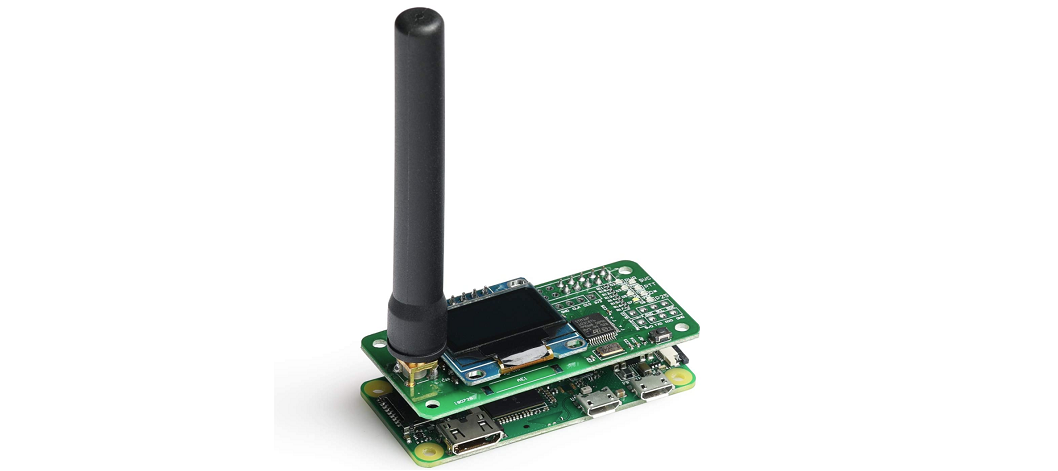
It is a pocket-sized, low-power personal hotspot/repeater that gives you digital communication in various "modes" from anywhere in the world with Internet access.
Physically, the cheapest hotspot (the JumboSPOT) contains an ADF7021 transmitter with a possible frequency range of 80–940 MHz, an STM32 and a small antenna. The JumboSPOT is fitted on a Raspberry Pi Zero W. This is the most affordable option for home use. There are also plenty of more expensive and convenient options with a built-in GPS for APRS, LTE for Internet access and a built-in display.
There are both simplex and duplex modems. For home use and a quick start, a simplex modem connected to a Raspberry Pi Zero W is enough.
A short MMDVM use case:
You have a DMR radio (for example hardware/anytone-d878uvII) and a friend in another country has a YSF radio. You want to talk to them. What do you do?
You buy an MMDVM and an RPi, install Pi-Star, set Pi-Star up to connect to a single master server (more on that below) on the Internet, and chat freely with your friend or another group of people. The MMDVM is fitted on a Raspberry Pi Zero W connected to your home router or to the Wi-Fi hotspot on your phone. It really does work that simply.
Master servers
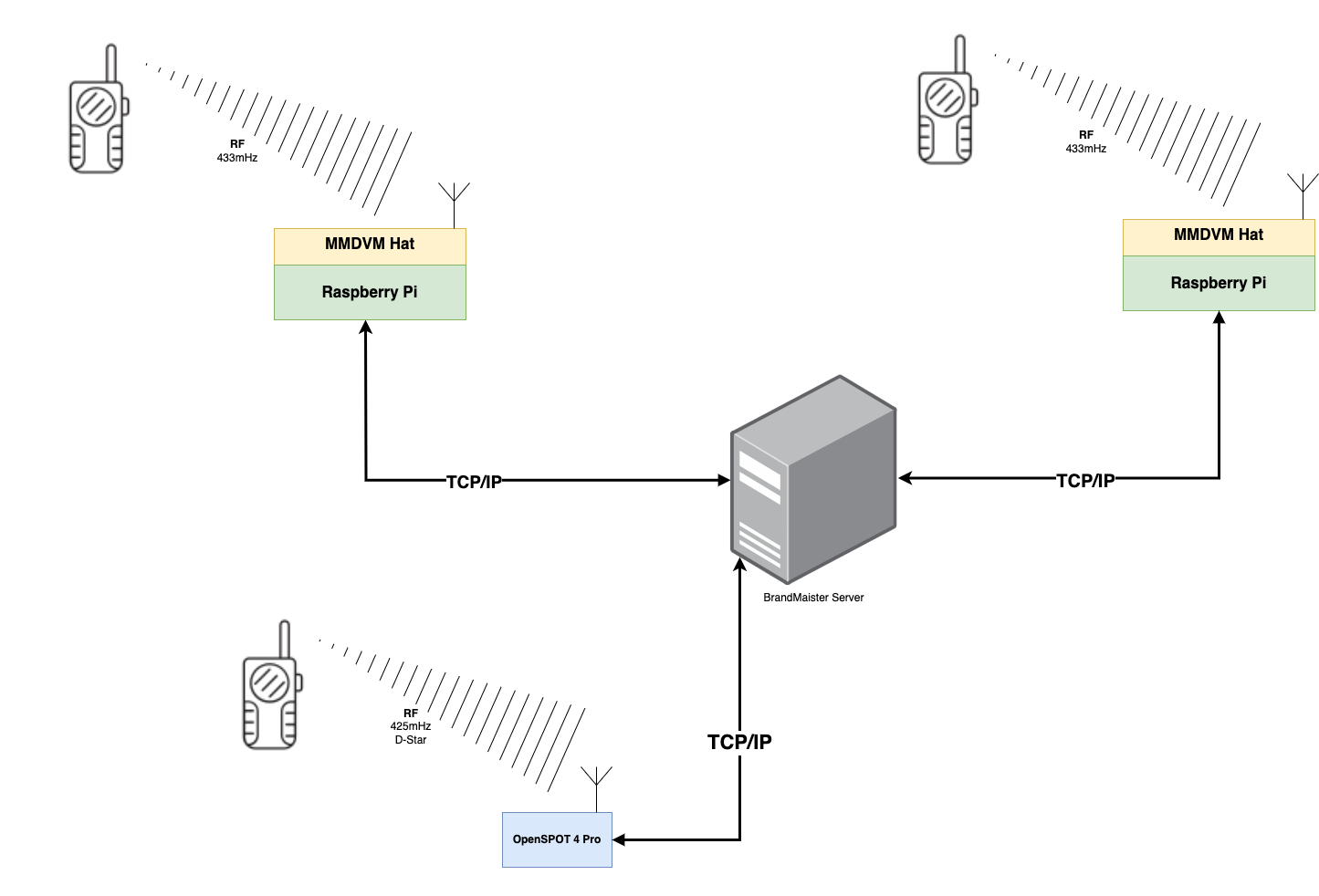
In the scheme above, everyone talks to one another through a master server, no matter where they are geographically or what frequencies or modes they use.
To put it briefly and very simply: you send the digital signal from your radio (DMR, YSF, D-STAR and others) to a server on the Internet. On the server there are organised talk groups where the members of the network talk. This is called a master server.
The main and largest master server is BrandMeister https://brandmeister.network. You can also set up your own master server, for example using HBlink3 https://github.com/lz5pn/HBlink3.
Here are a few other self-hosted master servers for DMR/YSF/D-STAR:
- https://github.com/carpaldolor/DMRServer
- https://github.com/USA-RedDragon/DMRHub
- https://github.com/w9zep/Crazy-Horse-DMR-Server
- https://github.com/hp3icc/Easy-FreeDMR-Docker
See the list of useful links below.
What is Pi-Star?
Pi-Star (https://www.pistar.uk/) is a management system for an MMDVM hotspot on the Raspberry Pi. It lets you set MMDVM up to work with various master servers.
Pi-Star includes, but is not limited to, a large list of pre-installed components and a graphical web dashboard for managing them. The dashboard itself is written in PHP and is used mostly to display data and edit the configuration files. All the other components are C/C++ programs that run in the background.
The main components

- MMDVM Host — part of the MMDVM platform. Lets you connect to the D-STAR, DMR, YSF, NXDN and P25 networks.
- APRS Gateway — the APRS gateway. Lets you connect to the APRS network.
- DstarRepeater — lets you use the device as a D-STAR access point/repeater.
- ircDDBGateway — a gateway that lets you connect to the D-STAR network.
- TimeServer — broadcasts the time for D-STAR.
- DMR Gateway — a gateway that lets you connect to the DMR network.
- YSF Gateway — a gateway that lets you connect to the YSF network.
- YSF2DMR — a software transcoder from YSF. Lets you connect to the DMR network using YSF.
- DMR2YSF — a software transcoder from DMR. Lets you connect to the YSF network using DMR.
- Pi-Star Remote — lets you control the hotspot over the radio channel.
You should control Pi-Star over the radio only within a strong-signal area, to guarantee that the command is carried out.
An example of Pi-Star Remote commands for the various modes:
[d-star]
# UR fields
svckill=SVCKILL
svcrestart=SVCRSTRT
reboot=REBOOTPI
#shutdown=SHUTDOWN
#8Ball=8BALL

[dmr]
# TG commands
reconnect=8999994
hostfiles=8999995
svckill=9999999
svcrestart=9999998
reboot=9999997
#shutdown=9999996

[ysf]
# ROOM commands
svckill=99999
svcrestart=99998
reboot=99997
#shutdown=99996
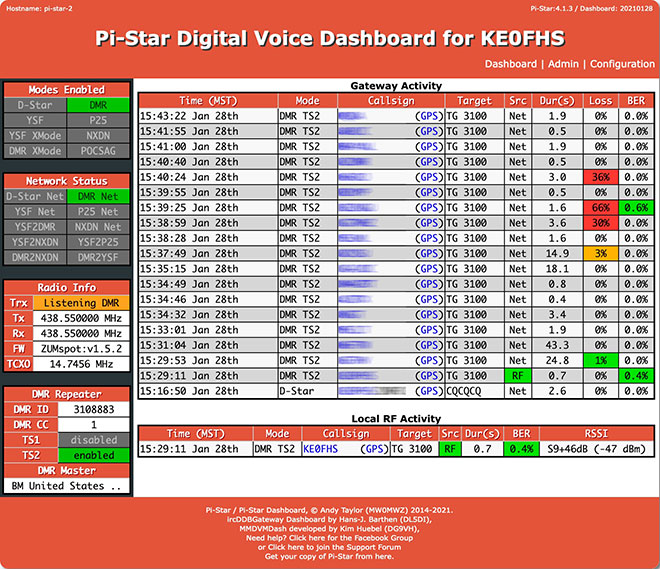
Pi-Star has not been updated for quite a while. It works. It works almost without problems (the main problem being the processing power of the Raspberry Pi Zero W).
I strongly recommend the hard fork of Pi-Star by W0CHP (W0CHP-PiStar-Dash, WPSD) https://w0chp.radio/wpsd/. It is actively developed, has support on Discord, its base distribution is updated to the latest LTS Raspbian, and it has several extra features. The original Pi-Star, meanwhile, has not been updated for a long time and is more dead than alive — although it still works.
I also recommend using something more powerful than a Raspberry Pi Zero W. It may be worth looking at a Raspberry Pi 3B+ or a Raspberry Pi 4. But you mostly notice the system's slowness while setting it up. A read-only mode of sorts works fine even on a Raspberry Pi Zero W.
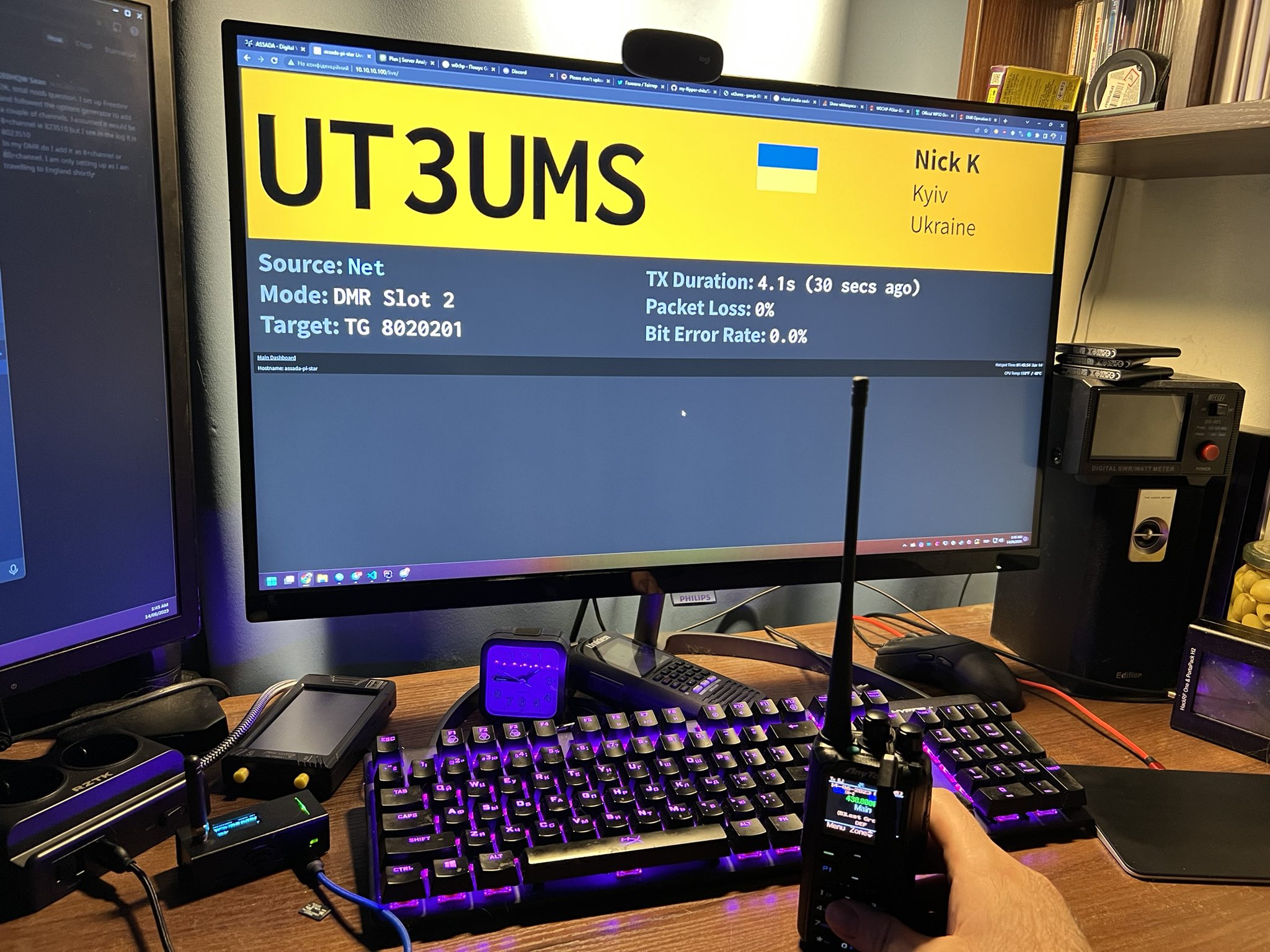
I could write a Quick Start Guide for Pi-Star and MMDVM in general. If you are interested, drop me a line. But who needs it. Nobody reads this anyway.
DMR / D-Star cross mode
A scheme of the type dstar radio <-> mmdvm pistar <-> hblink <-> mmdvm pistar <-> dmr radio
is impossible because of how hard it is to decode D-Star voice in software. For this,
therefore, XLX reflectors with hardware support for AMBE+2 decoding are used. That makes the
scheme dstar radio <-> mmdvm pistar <-> hblink <-> xlxd <-> mmdvm pistar <-> dmr radio
possible.
You are better off reading about XLX here: https://github.com/LX3JL/xlxd
A list of hardware AMBE vocoders:
- DF2ET's AMBE3003USB opensource device (https://github.com/phl0/AMBE3003USB)
- LX3JL's USB-3006 opensource device (https://github.com/lx3jl/usb-3006)
- DVSI's USB-3000 device
- DVSI's USB-3003 device
- DVSI's USB-3012 device
- NWDR's ThumbDV device
- NWDR's ThumbDV-3 device
- DVMEGA AMBE3000 device
- DVMEGA AMBE3003 device
Useful links
- Random images related to MMDVM repeaters — purely as an archive. You may find something useful for yourself.
freeDMR
Make sure this script will delete your exists Docker service!!!!
- Why use freeDMR https://www.freedmr.uk/index.php/why-use-freedmr/
- Install without Docker https://github.com/hp3icc/Easy-FreeDMR-SERVER-Install
Xlxd for DMR/D-Star
- DMR reflector/D-Star reflector in one https://github.com/bi7jta/XLX_CN
- How to create an XLX_XRF D-Star Reflector https://n5amd.com/digital-radio-how-tos/create-xlx-xrf-d-star-reflector/
YSF/C4FM reflector
- How to Creating a YSFReflector http://ks0lnk.net/?page_id=2968
P25 NXDN Ref Dashboard
P25 NXDN Ref Dashboard https://github.com/bi7jta/MMDVM-Install_RPT_N4IRS/tree/master/P25/P25Reflector-Dashboard
HBLink Link build DMR server
- Private BM: https://github.com/n0mjs710/hblink3
- Video https://www.chrishoodblog.com/make-your-own-dmr-server/
- DMR Master Server Pt1 Deploy new server https://www.youtube.com/watch?v=A6-a8DaKPCQ
- DMR Master Server Pt2 Install packages HBlink https://www.youtube.com/watch?v=LsqdO0xRjoQ
- DMR Master Server Pt3 Configure HBlink https://www.youtube.com/watch?v=oXRCW-5JMws
- Docker CE https://yeasy.gitbooks.io/docker_practice/install/raspberry-pi.html
DVSwitch + USRP
DVSwitch_install http://dvswitch.org/DVSwitch_install.pdf
USRP_Tetra_Bridge
AMBE Digital Voice Transcoding Server
- How to build a Digital Voice Transcoding Server with AMBE https://n5amd.com/digital-radio-how-tos/build-digital-voice-transcoding-server/?fbclid=IwAR2KoV7n7jHE8olO1c0Jv6xKRCS4UXOZSF3kH7tks8vfiKUjRRL1NtQuQc4
mmdvm svxlink
- mmdvm_svxlink-1.pdf https://www.do0tpb.de/app/download/20307140/mmdvm_svxlink-1.pdf (Mirror 1)
Source: UT3USW's personal blog