Meshtastic in Ukraine
This material is used with the permission of UT3USW
Source: UT3USW's personal blog
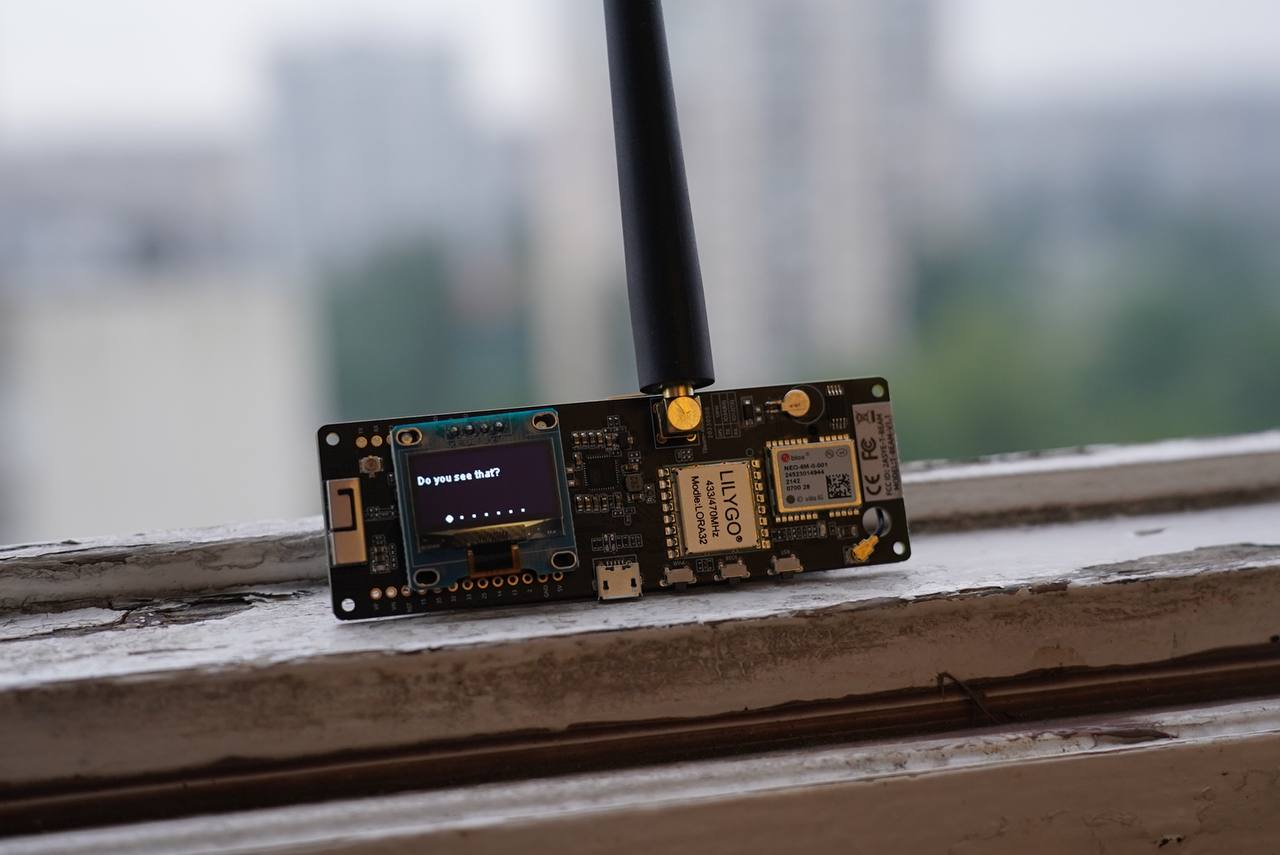
Meshtastic is a project that lets you use inexpensive LoRa-based transceivers as a long-range communication platform in areas with no communication infrastructure, or with unreliable infrastructure.
The core technology, LoRa, is a long-range radio protocol available in most regions without additional licensing or certification.
The radios automatically relay the messages they receive, so as to build a distributed mesh network in which everyone in the group can receive messages — even from the most distant member. Depending on the settings used, a Meshtastic mesh can support up to 80 device nodes (though in general more is possible).
Meshtastic radios can be paired with a single phone, so that your friends and family can send a message to your particular radio. Each device supports a connection from one user at a time.
Features
- Long communication range (record 206 km)
- A phone is not required for communication
- Decentralised communication — no single router needed
- Encrypted communication
- Excellent battery life (depends on the device, but energy efficiency is built into the software)
- Optional GPS-based location features (can be turned off, or set to send a fake location)
- And more!
[TOC]
The history of LoRa technology.
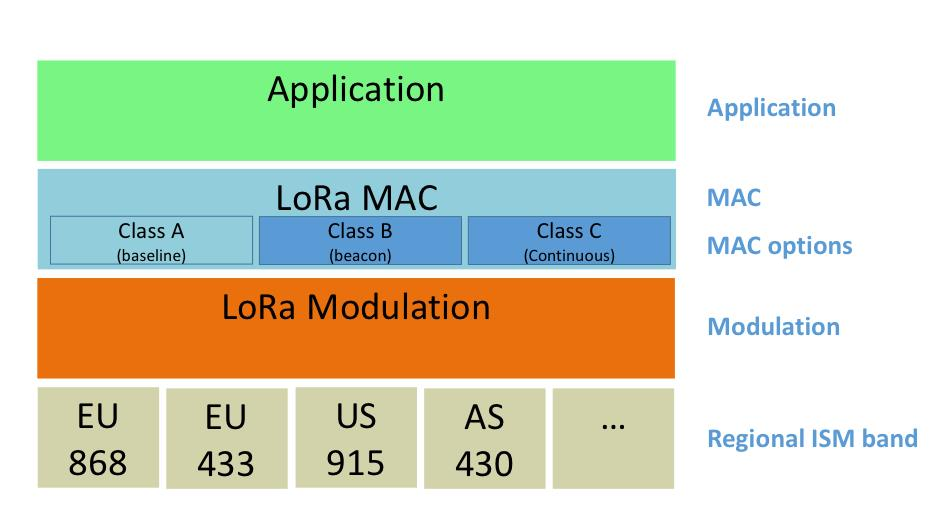
At the start of 2015 Semtech Corporation and the research centre IBM Research introduced a new open, energy-efficient network protocol, LoRaWAN (Long Range Wide Area Networks), which offers significant advantages over Wi-Fi and cellular networks thanks to its ability to deploy machine-to-machine (M2M) communications, and shook up the IoT market.

LoRa technology came into the world under the auspices of the non-profit LoRa Alliance, founded by companies such as IBM, Semtech, Cisco and others, in order to adopt and promote the LoRaWAN protocol as the single standard for global low-power networks (LPWAN — Low Power Wide Area).
The developers at the LoRa Alliance position LoRa as a technology with significant advantages over cellular networks and Wi-Fi thanks to the ability to deploy machine-to-machine (M2M) communications over distances of up to 20 km (though range records already exceed 800 km) and at speeds of up to 50 kbit/s, with minimal power consumption that gives several years of autonomous operation on a single AA-type cell.
The range of applications for this technology is enormous: from home automation and the Internet of Things to industry and smart cities.
In our real, everyday life LoRa is used, for example, for the interaction of a city's smart elements (automatic street lighting in Ukrainian cities), and for military needs (the ComBat Vision project uses Meshtastic to synchronise the devices in its system).
Meshtastic is not LoRaWAN. Meshtastic uses the full range of frequencies allocated to LoRa technology for each region. This allows several hundred possible frequency channels.
What is Meshtastic?
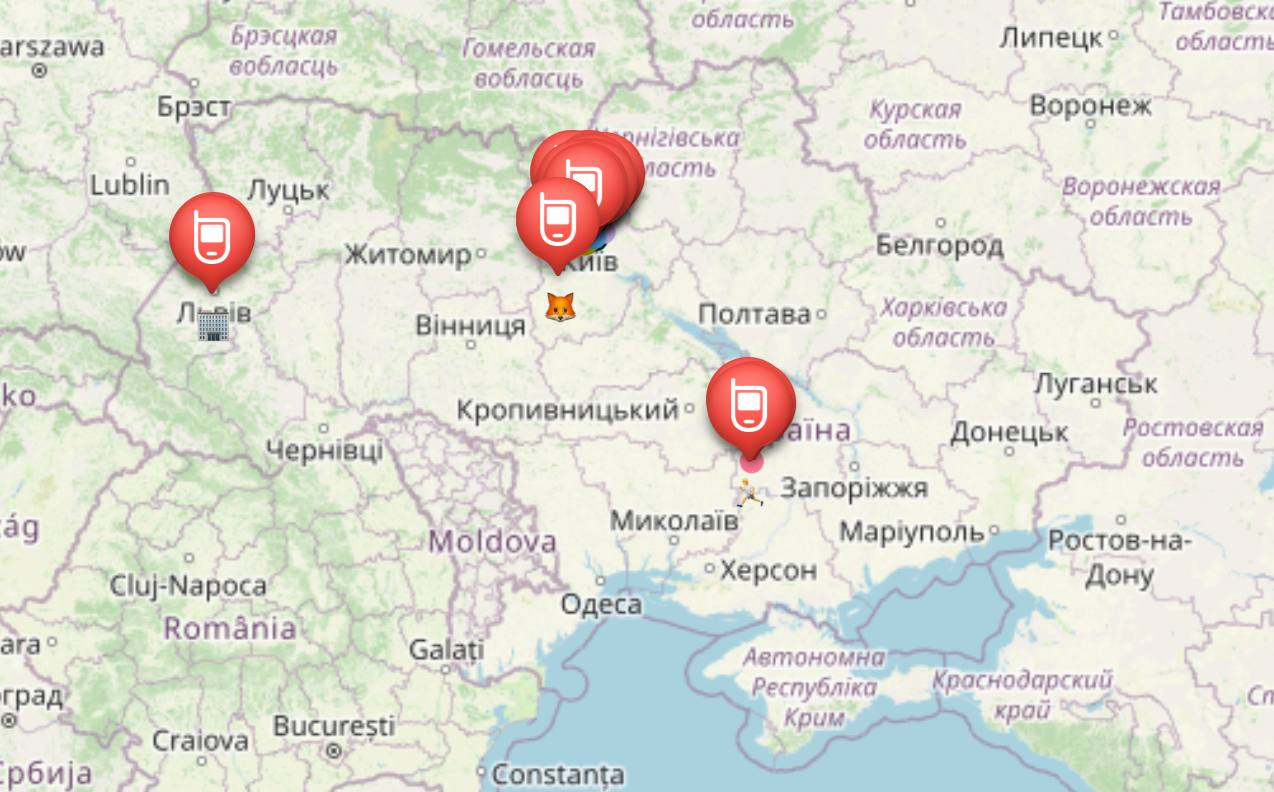
Meshtastic is a "LoRa-based" project that lets you use inexpensive GPS radios transceivers (30 bucks, give or take) as an extensible mesh GPS communicator with an ultra-long battery life. These transceivers are great for hiking, skiing, cycling — for practically any hobby where you have no reliable Internet access. Every member of your private network can always see the location and distance of everyone else, as well as any text messages sent to your group chat, or message you privately through direct messages.
The radios automatically build and maintain a LoRa network to forward packets as needed (up to 7 hops), so everyone in the group can receive messages even from the most distant member. The radios will work with your phone if you want, but a phone is not required.
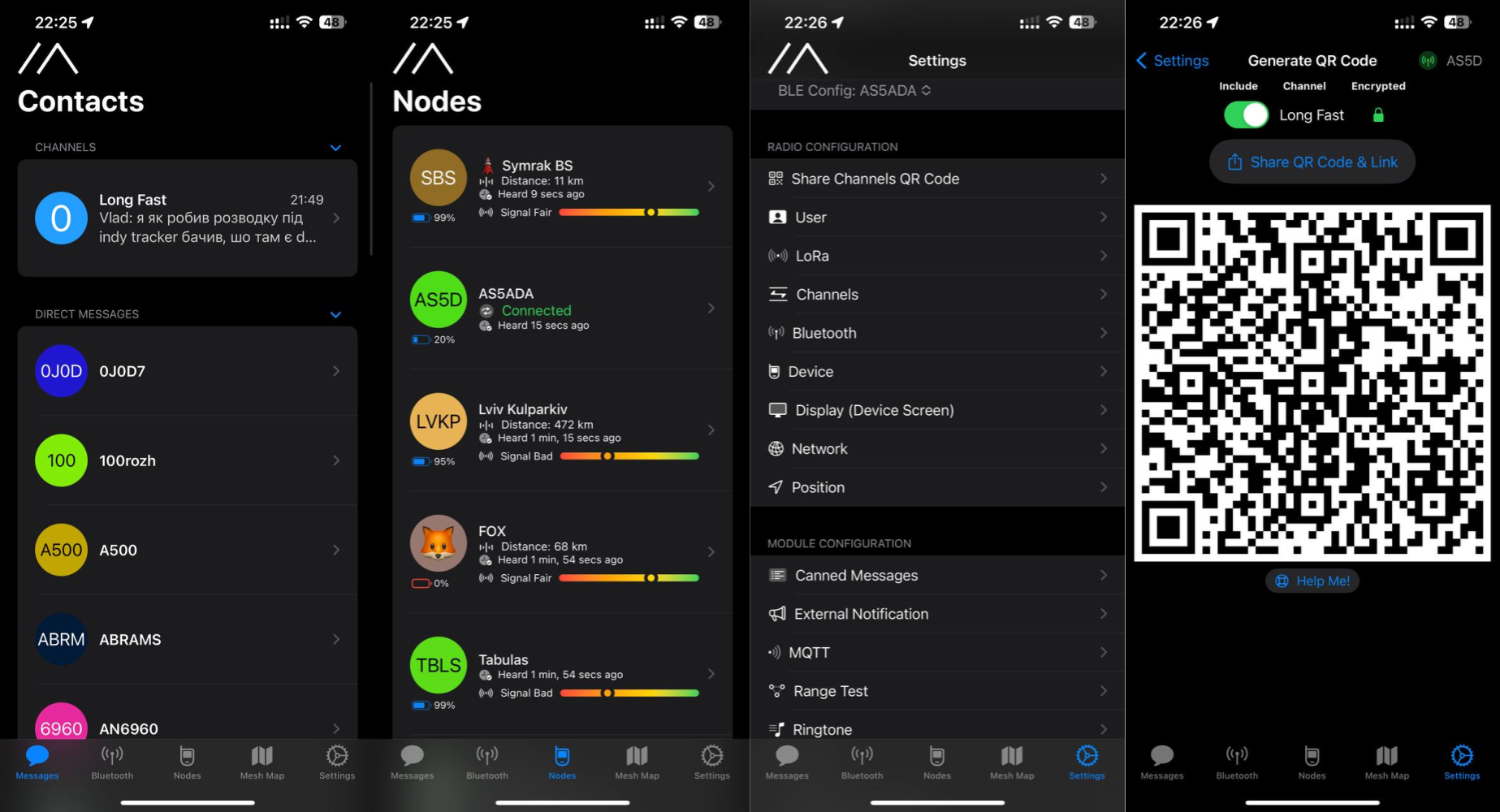
The core function of the project: transmitting text and your coordinates via a smartphone without using cellular service or the Internet.
That is, you install the Meshtastic app on your Android or iOS smartphone. It is a chat app along the lines of Telegram or Viber. The phone connects to the radio modem over Bluetooth. Communication with other users, who have the same app and the same modem, happens through the radio modem. On the smartphone screen you can see a list of users and a map of their locations. You see a group chat and p2p chats with the members of the network.
Possible use cases:
- Emergency digital communication during emergencies (a power cut, for example)
- Searching for lost people
- Building your own self-organising radio network among like-minded people within your area and even further, in your own project
- Transmitting light telemetry — from your own weather station, dosimeter readings or another sensor, say
- Outdoor sport with limited mobile coverage (hiking in the mountains, skiing, boating, paragliding or quadcopters, and so on)
- Situations where closed-source GPS communicators simply will not help (it is easy to add features for quadcopter or glider pilots, and so on)
- Secure long-range communication within groups, independent of cellular operators
The hardware you need to work with Meshtastic:
- An Android/iOS smartphone or a computer for settings and chatting
- A Meshtastic radio modem based on LoRa communication modules more on that below
- An antenna. A better antenna means better communication. The bundled antenna may be enough. Read about this below.
- A Li-Ion battery or a power bank to power the module
The radio network is built on off-the-shelf LoRa radio modules. Their main feature is a long communication range at very modest power. In Ukraine the 433 MHz frequency segments are allocated to LoRa. It is for this frequency that you need to find or build a modem and antenna.
Meshtastic devices
The Ukrainian network is developing on the 433 MHz frequency. So be careful! Order 433 MHz modules specifically if you want to join the wider network.
The full list of devices supported by Meshtastic can be found on the project's official site: https://meshtastic.org/docs/supported-hardware
There are several radio-modem options recommended for use on the Ukrainian network:
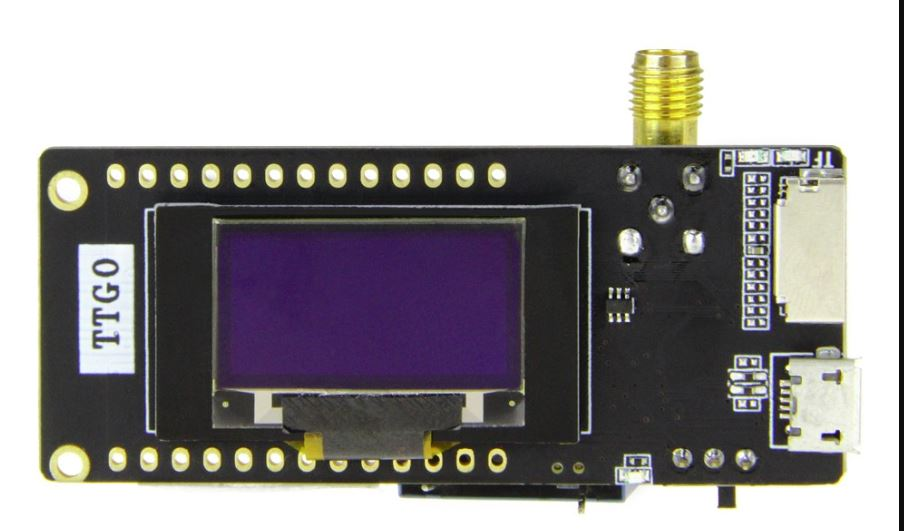
- LILYGO® TTGO LoRa32 V2.1_1.6 T-Lora — the cheapest, without GPS and with modest transmit power. https://a.aliexpress.com/_Ev5JaUT
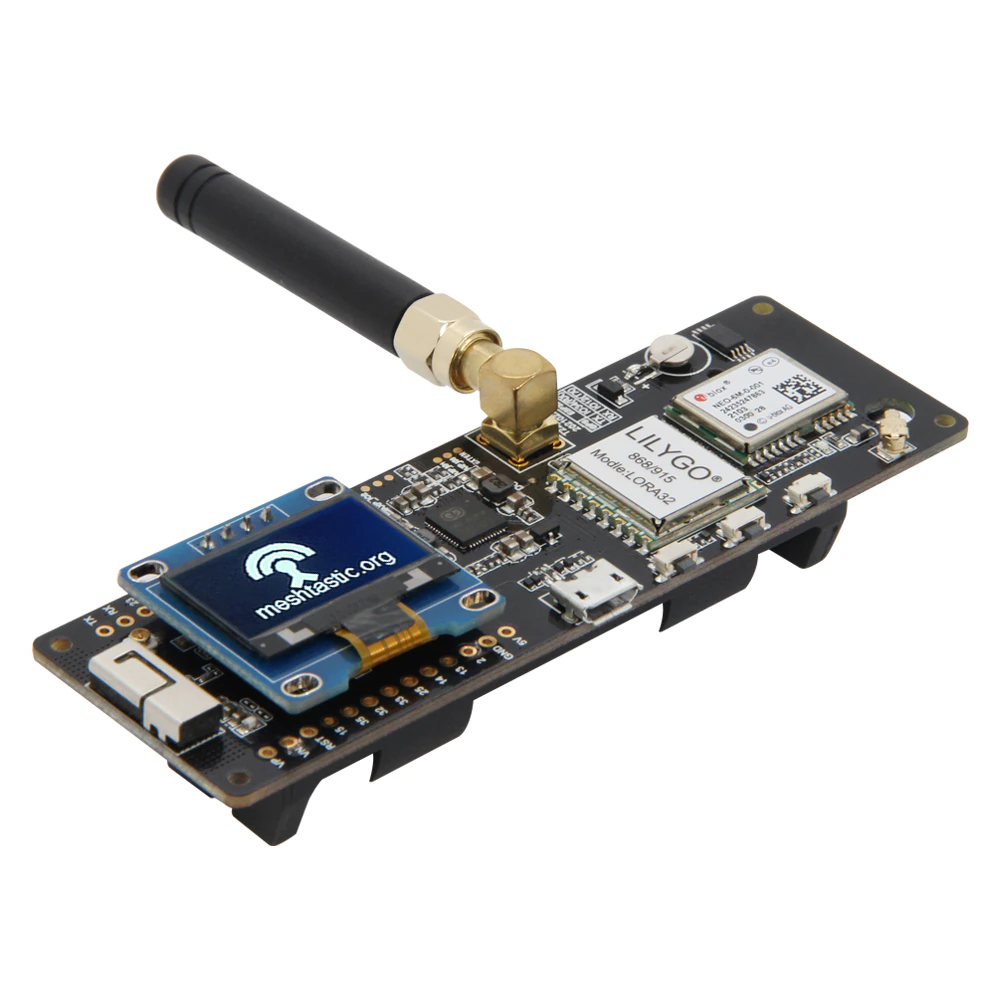
- LILYGO® T-Beam — the most popular device. Already with GPS and higher transmit power. https://www.aliexpress.com/item/4001286458852.html
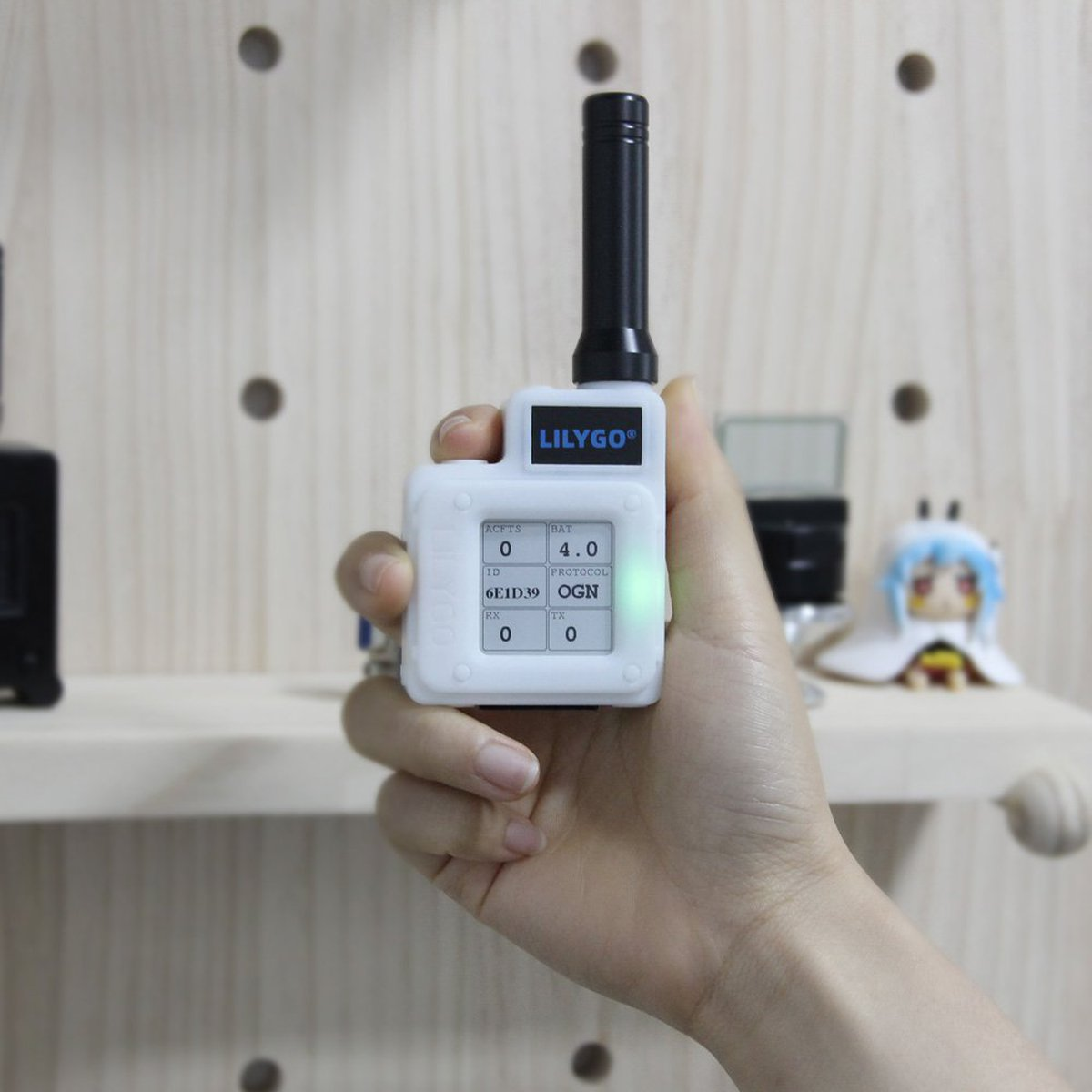
- LILYGO® TTGO Meshtastic T-Echo — the luxury option. The best power, an energy-efficient display, a built-in temperature and humidity sensor. https://www.aliexpress.com/item/1005003026107533.html
Flashing the devices
For myself I chose the LILYGO® T-Beam as the most balanced for price and feature count. The first thing to do once you receive the module is to update the modem's firmware to the latest version. There are two ways to do this: the simple one through the web interface and the relatively complicated one through esptool. You may need the drivers for the ch9102 serial chip: https://github.com/WCHSoftGroup/ch343ser_linux
The driver does not support kernel versions >= 6.1. But you can apply the appropriate patches. For example https://github.com/WCHSoftGroup/ch343ser_linux/commit/0c08ee45b25ca93d2c213e18f881627849094268.patch
Flashing through the web interface
- Connect the device to the computer over USB.
- Open https://flasher.meshtastic.org/ and choose the firmware to load onto the Meshtastic, then select the COM port the ESP32 is connected to.
- Click the "Flash" button in the web flasher. The flashing process may take a few minutes.
- When flashing is complete, the device will restart.
Flashing through Visual Studio Code (PlatformIO)
Preparation
- Install Visual Studio Code (https://code.visualstudio.com/)
- Install PlatformIO (https://platformio.org/platformio-ide)
- Clone the firmware:
git clone https://github.com/meshtastic/firmware.git - Install the required modules:
cd firmware && git submodule update --init
Flashing
- Open the firmware folder in Visual Studio Code. Wait for PlatformIO to install all the required libraries.
- Using the command palette
Ctrl + Shift + P, choose PlatformIO: Pick Project Environment and select your device. Wait for PlatformIO to download the required libraries. - Then run PlatformIO: Build to build the firmware.
- And finally PlatformIO: Upload to load the firmware onto the device.
This is the simplest way to flash if you plan to use the modifications described below.
Flashing through esptool (the complicated option)
The build process and the process itself are described by UT3UMS here: tbeam-firmware-ut3ums.md
If you choose this way of flashing the modem, you can additionally implement the following:
- The Ukrainian language on the device screen: https://wikimesh.pp.ua/uk/налаштування/Увімкнення_Української_мови
- Increasing the power https://wikimesh.pp.ua/uk/налаштування/Збільшення_потужності
- Extended RadioLib logging over Serial https://wikimesh.pp.ua/uk/налаштування/Розширене_логування_RadioLib
First-time settings and connecting to the network
The T-Beam and other Bluetooth-capable modems can be configured from the app. But that way works poorly for me personally. So I chose to use the meshtastic CLI utility (client).
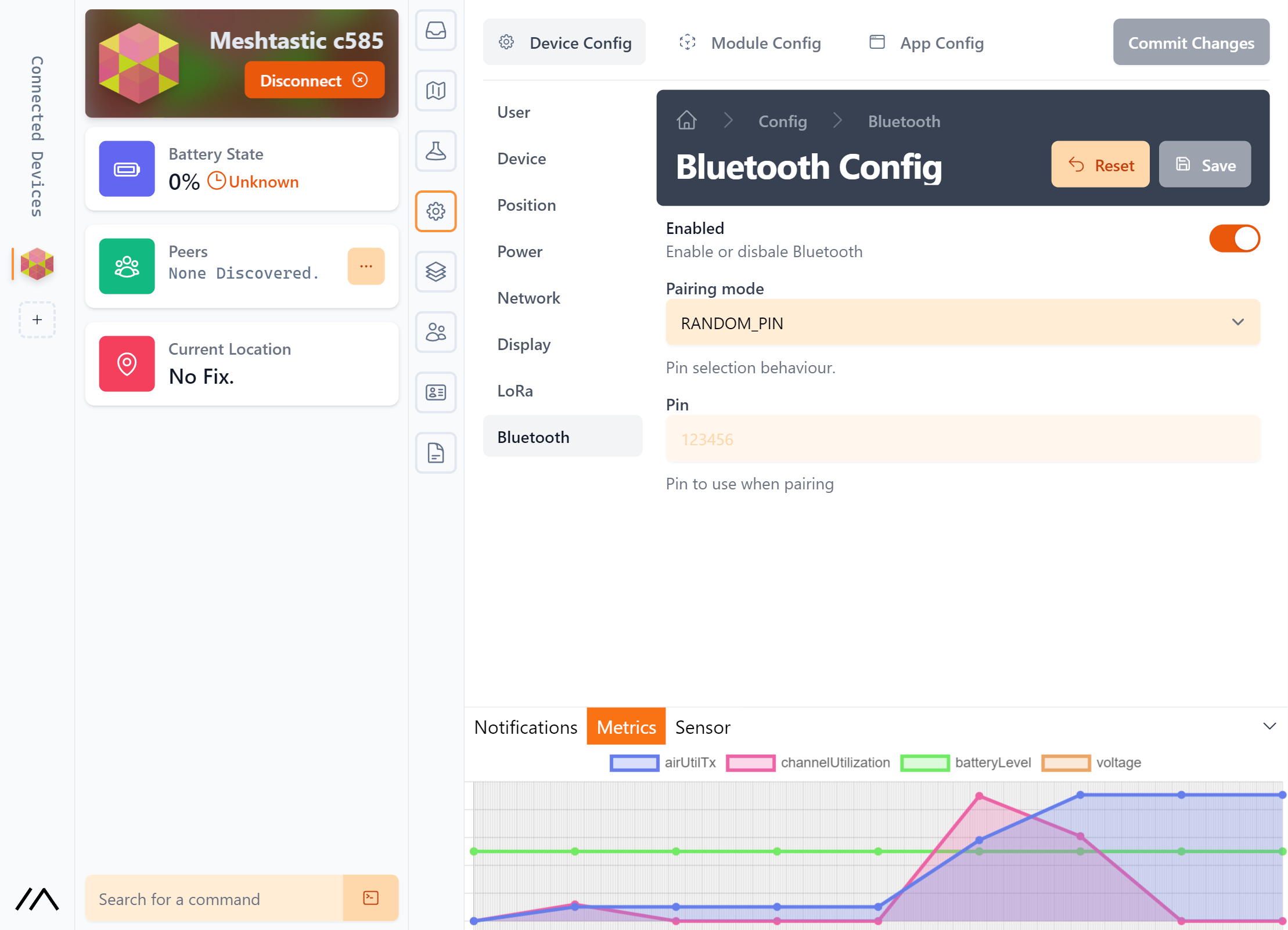
It is also worth noting that you can configure and work with the modem through the web client: https://client.meshtastic.org/
If you are a beginner and the further points of this article are hard for you, you had better use the web client! Just connect the modem to the computer over USB and open the web configurator! It is all simple!
Installing meshtastic-cli
You need python3 and pip > 20. Check your versions and update if necessary:
python3 --version
pip3 --version
Install the CLI client:
pip3 install --upgrade pytap2
pip3 install --upgrade meshtastic
Then you can connect the modem to the computer over USB and run the following command:
meshtastic --info
This is how you check that everything works.
Configuring the modem
To start working with the modem you need to do the following:
meshtastic --set-owner 'your node name' --set-owner-short 'NODE'
where your node name is your name on the network, and NODE is the short name that will be
shown on the modem's screen. Something like an avatar. Emoji are supported as well.
Set the radio settings:
meshtastic --set lora.region EU_433 --set lora.modem_preset LONG_FAST
After each setting is changed, the modem restarts automatically. The settings can be combined into one command:
meshtastic --set-owner 'your node name' --set-owner-short 'NODE' --set lora.region EU_433 --set lora.modem_preset LONG_FAST
EU_433 — works on 433.0–434.0 MHz with a power limit of 12 dBm
UA_433 — works on 433.0–434.7 MHz with a power limit of 10 dBm
The list of all the regions and their settings can be seen in the firmware code https://github.com/meshtastic/firmware/blob/v2.1.20.470363d/src/mesh/RadioInterface.cpp#L20-L121
or in the documentation https://meshtastic.org/docs/overview/radio-settings
Connecting to the network
Download the client for your platform https://meshtastic.org/downloads
And scan the QR code with the network settings.
On iOS use the QR scanner in the camera app. On Android use the scanner built into the Meshtastic app in the channel settings.
Congratulations! You are on the network! Try writing something in the chat and you are sure to get a reply if someone "heard" your packet. If not, try changing your location or using an antenna with a higher gain. Examples of antennas are given here: https://wikimesh.pp.ua/uk/Рекомендовані_антени
What about antennas?
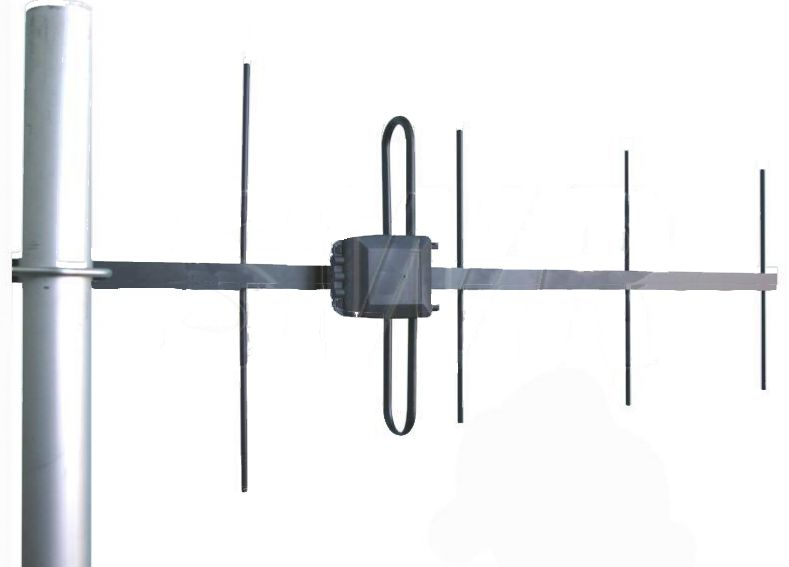
If you order a T-Beam or T-Echo from China, it comes with a simple antenna for 433 MHz or whatever frequency you ordered the modem for. It may be enough for communication, or it may not. It depends on your height, the conditions where you are, and the distance to the nearest working modem of another network member. I was lucky. I live on the 13th floor and my modem just lies about somewhere on the desk with an antenna off a Baofeng, and it all works beautifully.
If you are not lucky with the conditions, the antenna can be improved bit by bit! A basic antenna sells in Ukraine on OLX for something like 300–500 UAH. It all has to be tried. If you do not know which antennas are better, you can turn to us in the Telegram chat and we will help you choose. But first check whether it works with the basic antenna.
TL;DR
In short. If you understood nothing but really want to give it a try, then:
- Buy a modem. A T-Beam or a T-Echo.
- Download the app for iOS/Android.
- Connect the modem to the computer and configure it through https://client.meshtastic.org/
- That is all!
You do not have to use the CLI utility or bother with flashing at all. The devices arrive already flashed with some version, and it may turn out to be enough. The antenna, as written above, may also turn out to be optional. You can ask any questions in the Telegram chat.
Firmware modifications
Several modifications for enabling Ukrainian language support and increasing the transmit power for some chip versions are described here: https://wikimesh.pp.ua/
But I will add a few more.
Replacing the splash screen with your own on the T-Beam and similar screens
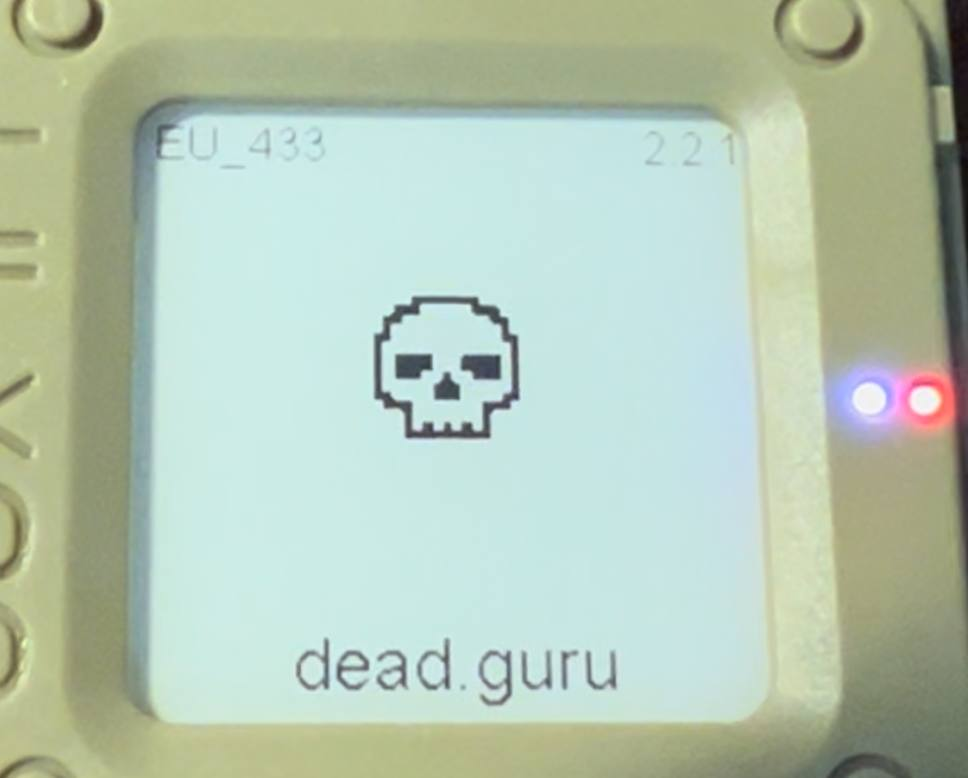
The XBM file to replace: /firmware/src/graphics/img/icon.xbm
An XBM file converter https://windows87.github.io/xbm-viewer-converter/ Or you can draw one here: https://xbm.jazzychad.net/
Copy the code into the icon.xbm file, but watch the variable names and the sizes set for
your device carefully (experiment with the sizes).
A full translation of the firmware
For this you need to enable full Cyrillic support. You can do this in the file
/firmware/variants/<variant>/platformio.ini: replace <variant> with your device and add
the build flag -D OLED_UA.
Example for the T-Beam:
The file /firmware/variants/tbeam/platformio.ini
; The 1.0 release of the TBEAM board
[env:tbeam]
extends = esp32_base
board = ttgo-t-beam
lib_deps =
  ${esp32_base.lib_deps}
build_flags = ${esp32_base.build_flags} -D TBEAM_V10  -I variants/tbeam -D OLED_UA -DGPS_POWER_TOGGLE ; comment this line to disable double press function on the user button to turn off gps entirely.
upload_speed = 921600
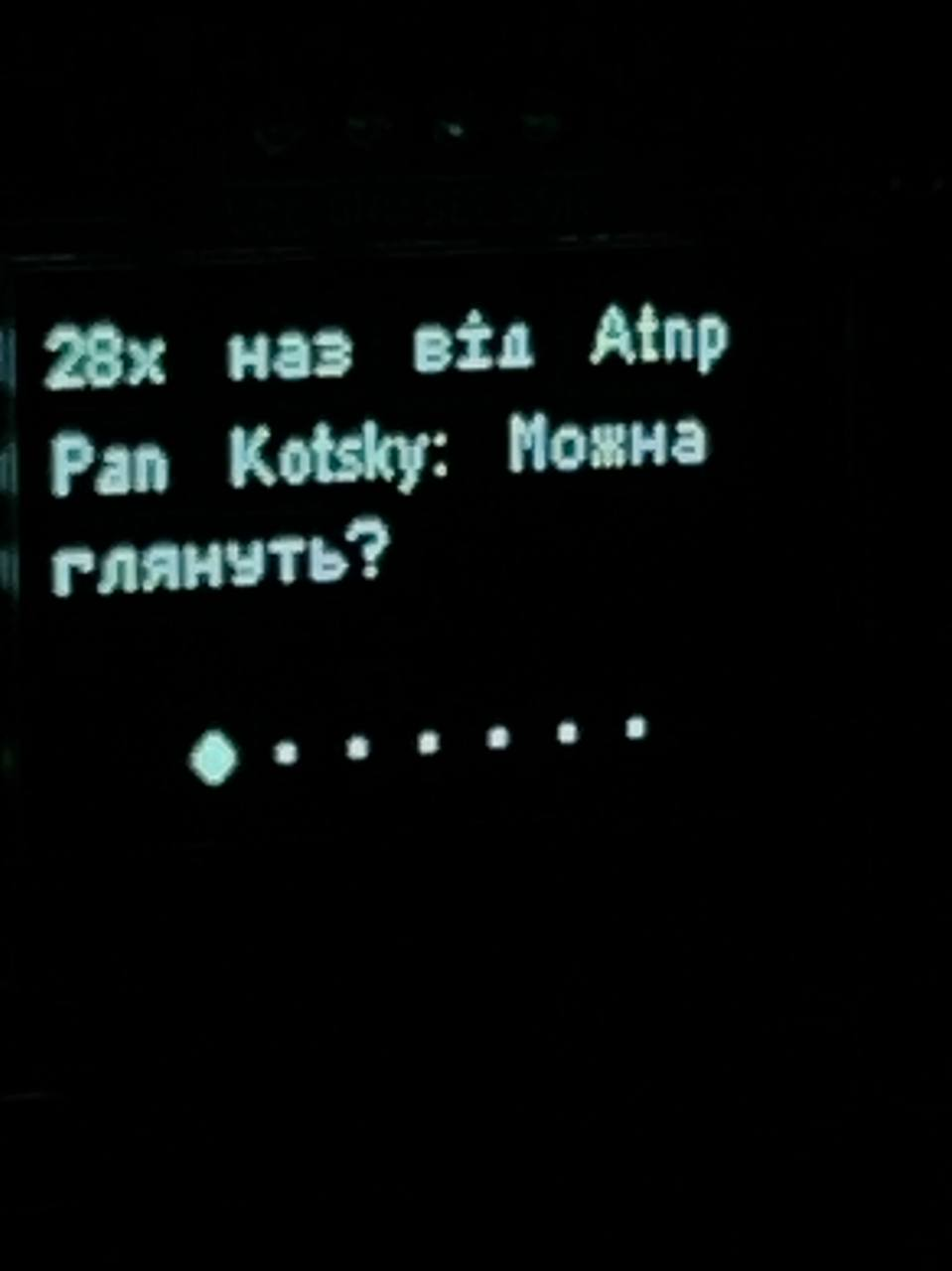
You can also replace all the on-screen text with Ukrainian in /firmware/src/graphics/Screen.cpp.
But simply having Ukrainian support in the font is usually enough.
If you do decide to translate the firmware fully, be careful with the number of characters.
I tried to translate so that the character count matched the English version. Sometimes the
translations that come out are not very convenient.
Ukrainian language support for the T-Echo
The T-Echo's E-Ink display uses a larger font by default. 19 pixels instead of the 13 standard for OLED. But the official firmware only has the 13-pixel font variant.
The simple way (with a smaller font):
In the file /firmware/src/graphics/Screen.cpp find the line #define FONT_SMALL ArialMT_Plain_16
somewhere between lines 105 and 110. And replace it with #define FONT_SMALL ArialMT_Plain_10_UA
It is also worth adding the build flag -D OLED_UA to the file /firmware/variants/t-echo/platformio.ini
Example:
; First prototype eink/nrf52840/sx1262 device
[env:t-echo]
extends = nrf52840_base
board = t-echo
debug_tool = jlink

# add -DCFG_SYSVIEW if you want to use the Segger systemview tool for OS profiling.
build_flags = ${nrf52840_base.build_flags} -D OLED_UA -Ivariants/t-echo -L "${platformio.libdeps_dir}/${this.__env__}/BSEC2 Software Library/src/cortex-m4/fpv4-sp-d16-hard"
build_src_filter = ${nrf52_base.build_src_filter} +<../variants/t-echo>
lib_deps =
  ${nrf52840_base.lib_deps}
  https://github.com/meshtastic/GxEPD2#afce87a97dda1ac31d8a28dc8fa7c6f55dc96a61
  adafruit/Adafruit BusIO@^1.13.2
  lewisxhe/PCF8563_Library@^1.0.1
;upload_protocol = fs
The complicated way (KEEPING the font size)
For this method we need to change the font to a custom one (I tried to make it as nice as possible). The font constant: https://gist.github.com/assada/8ab477d67653690842c2328faeb19a88
This constant has to be changed in the file /firmware/.pio/libdeps/t-echo/ESP8266 and ESP32 OLED driver for SSD1306 displays/src/OLEDDisplayFonts.cpp
after running PlatformIO: Pick Project Environment and selecting t-echo. Otherwise
this file may not be there!
We do not make changes in /firmware/src/graphics/Screen.cpp. We only add the build flag
-D OLED_UA to the file /firmware/variants/t-echo/platformio.ini (described above)
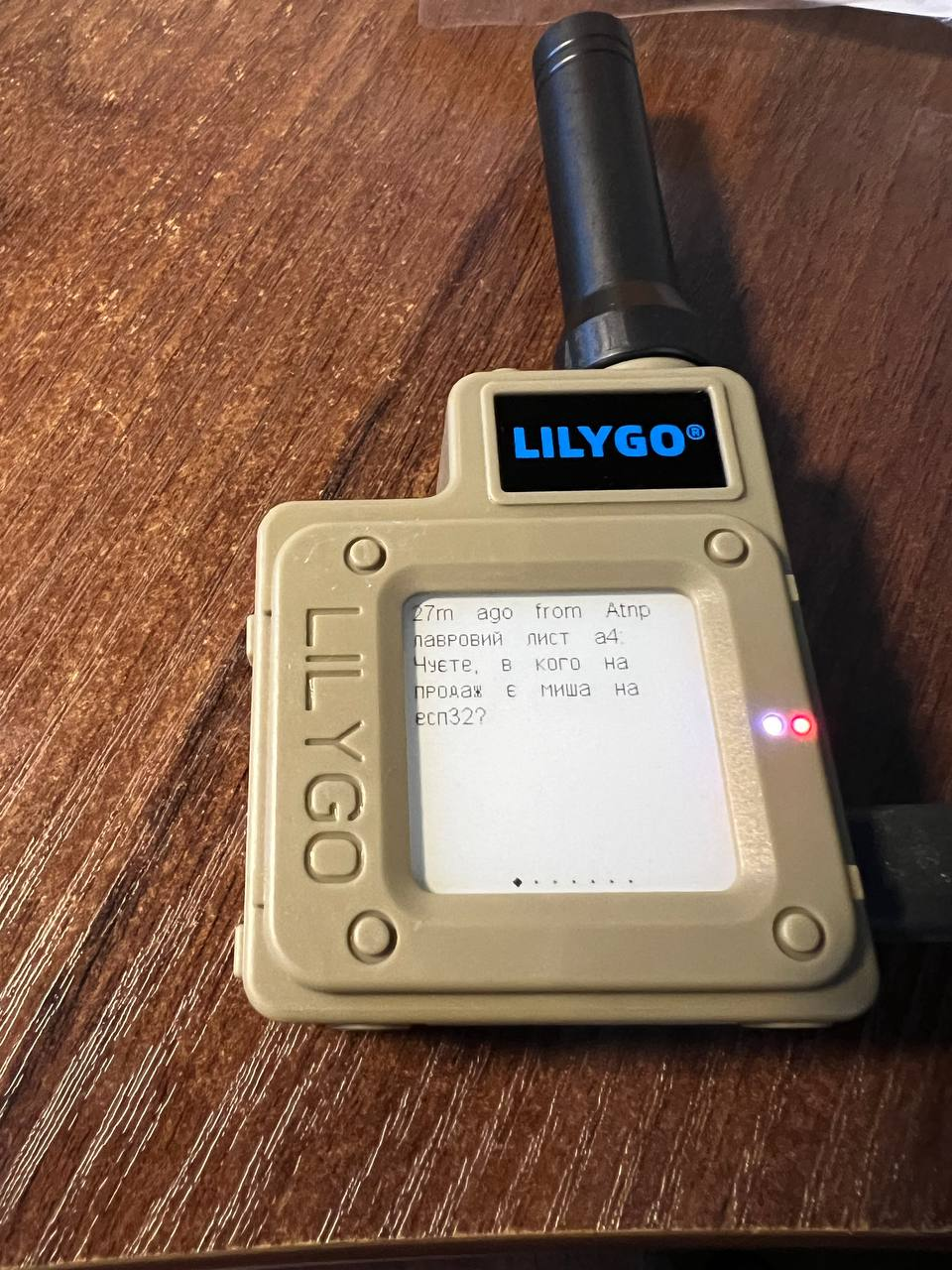
Useful links
- https://wikimesh.pp.ua/uk/home — Ukrainian documentation
- https://meshtastic.org/ — the project's main site
- https://t.me/meshtastic_ua — the Ukrainian community on Telegram
- https://mesh.0x21h.net — a coverage map (beta)
- https://mesh.in.ua/grafana/d/R4RChebVk/mesh?orgId=1&refresh=5s — the network dashboard
- https://t.me/meshtastic_lviv — the Lviv community
- https://t.me/meshtastic_ua_chernivtsi — the Chernivtsi community
- https://t.me/meshtastic_ua_odesa — the Odesa community
Source: UT3USW's personal blog